Free and Open Source

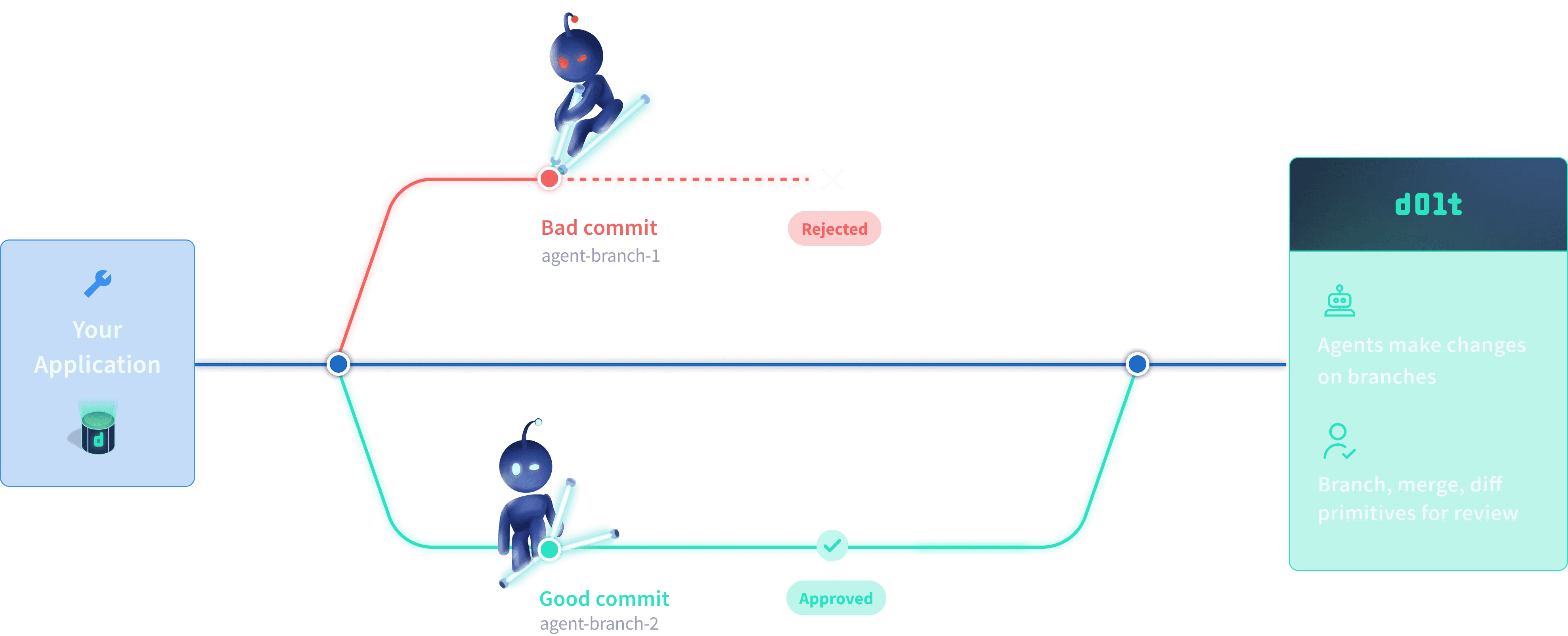
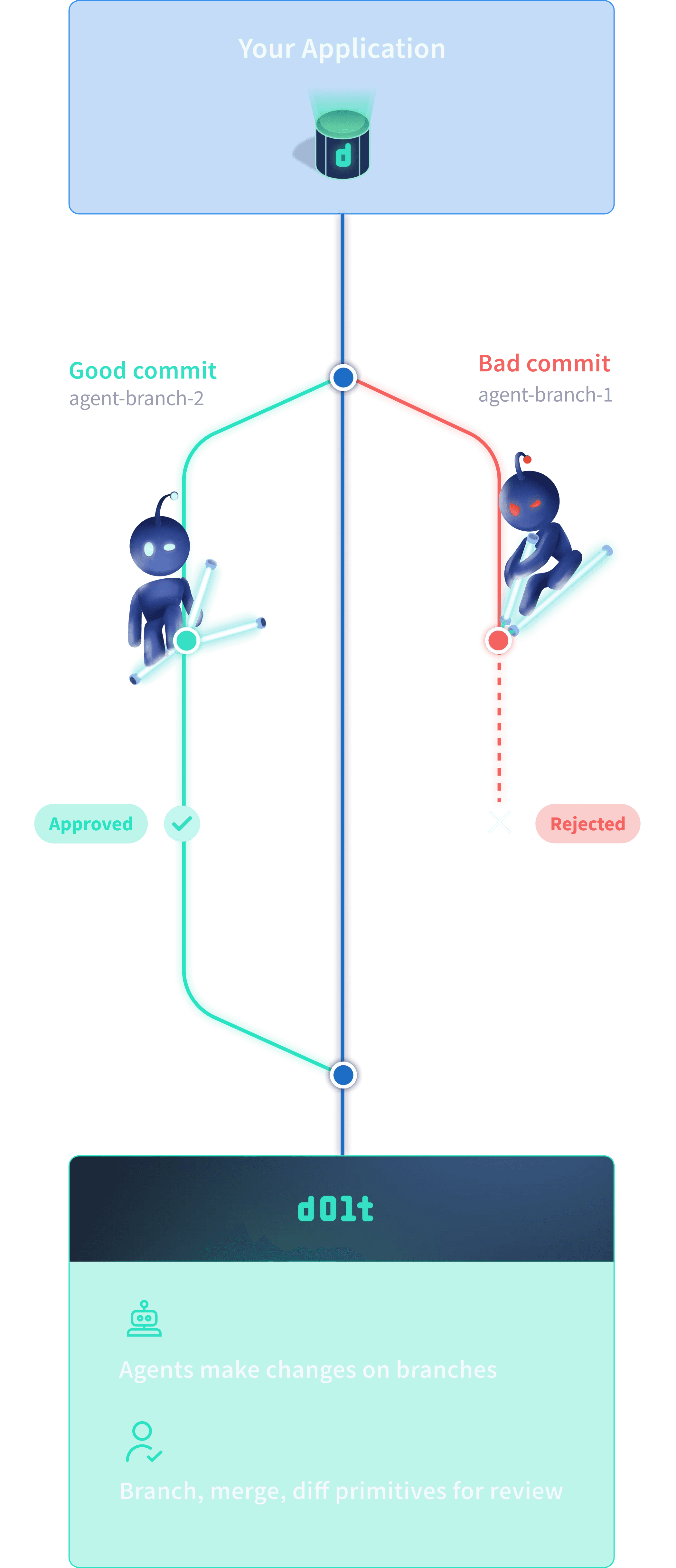
What if your agent could write to your database safely?

What if your agent could write to your database safely?

The database for AI with Git-style version control—branch, merge, and diff your data

Database Version Control Solves

Database Version Control Solves

What exactly changed?

1 row? 10,000 rows? Without diffs, how can you tell if an agent updated one row or a thousand?

What exactly changed?

1 row? 10,000 rows? Without diffs, how can you tell if an agent updated one row or a thousand?

Did it hallucinate?

AI is unpredictable. What do you do when an agent deletes your production database?

Did it hallucinate?

AI is unpredictable. What do you do when an agent deletes your production database?

Human-in-the-loop?

How can you ensure AI changes are reviewed and approved before they hit production?

Human-in-the-loop?

How can you ensure AI changes are reviewed and approved before they hit production?

The only database for safe AI writes

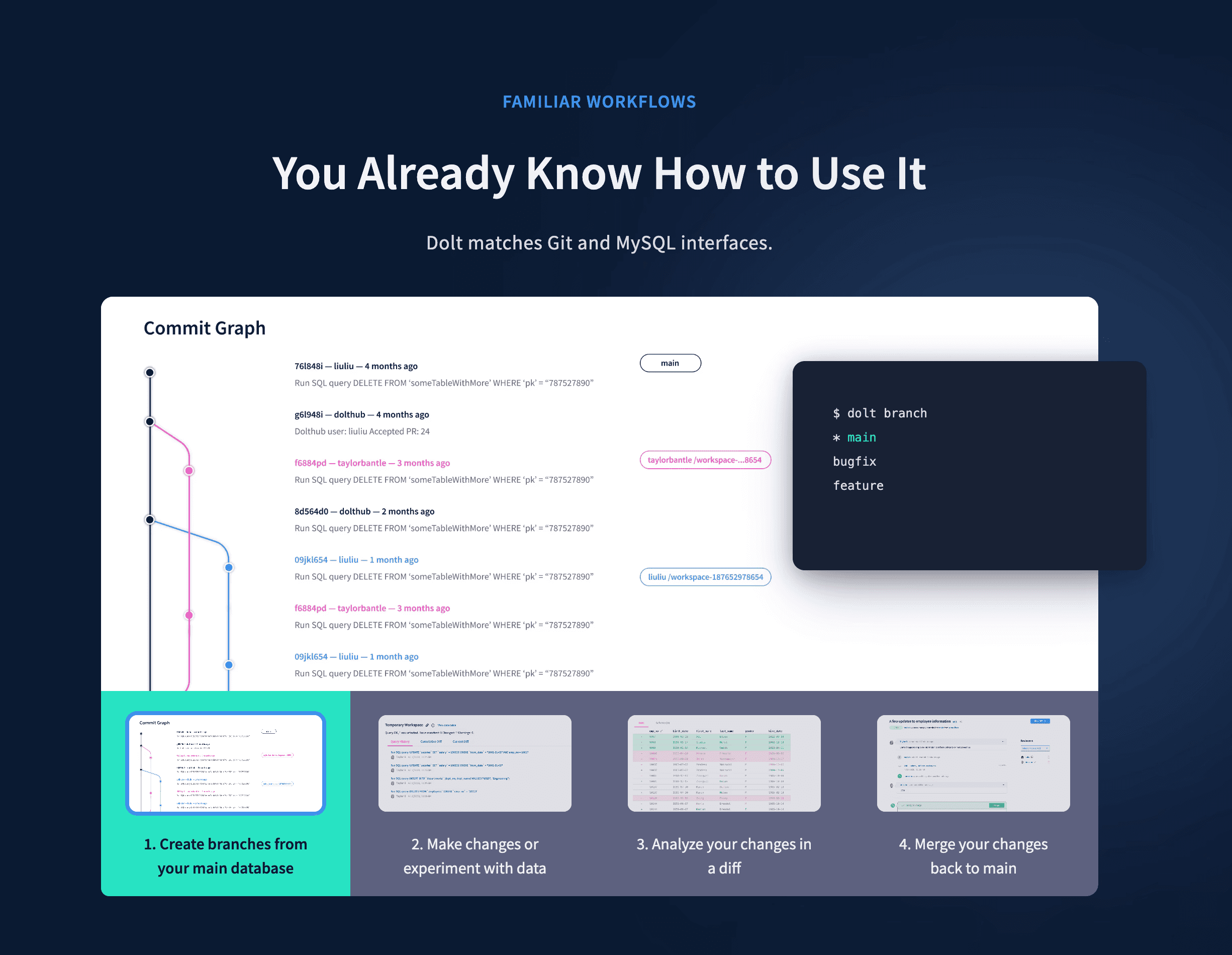
Manage data the way code is managed.

Branch

True Git-style branches. Not copy-on-write. Create as many as you want, for free.

Diff

Observable cell-level changes between any two commits.

Test

The only database with Ci CD tests

Merge

The only DB where you can merge your changes back to production.

Instant Rollback

Rollback to any previous commit in the database.

Multiplayer Mode

Database copys allow for infinite experiements with clones.


Anyone can clone the database to debug and experiement.
Join thousands of developers using the essential AI infrastructure.

Join 10,000+ developers building AI apps with confidence

main branch

main branch

main branch

main branch

Install & Update
in Seconds

Use your favorite package manager to get the CLI running instantly.

$brew install dolt
$ dolt version

Install & Update in Seconds

$brew install dolt
$ dolt version

Verify your installation with the command above

Start a Server

1

Setup & Configure

2

Develop with SQL

3

Commit & Share

bash — dolt

Description

Initialize your repository and configure your identity. This creates the .dolt directory to track all changes.

$ mkdir dolt && cd dolt $ dolt init Successfully initialized dolt data repository. $ dolt config --global --add user.name "Your Name" $ dolt config --global --add user.email "you@example.com"

Build with your favorite tools and apps

Dolt speaks MySQL. This means you can use your favorite drivers, ORMs, and GUI clients without any custom plugins. Just point them to your running Dolt server.

Standard Port3306
Default Userroot
Default Host127.0.0.1
python
import mysql.connector

mydb = mysql.connector.connect(
  host="127.0.0.1",
  user="root",     # Default Dolt user
  password="",     # Default is no password
  port=3306,       # Default port
  database="beginner"
)

print(mydb)
# <mysql.connector.connection_cext.CMySQLConnection>

Latest from the Blog

Deep dive into database architecture and version control

AI and Data

Why AI Needs Version Control

Code is stored in files, but data lives in databases. Bridging the gap for the next generation of AI agents.

Product Building

App Builders Deserve Better Databases

A look at the new tooling for creating Dolt-native applications.

15 min read

Engineering / Use Case

How Flock Safety uses Dolt

Ensuring reproducibility and explainability in computer vision models with database versioning.

6 min read

Tutorial / Use Case

Safe Agent Writes in Workbench Demo

Agents can write directly to your database safely, while you review, diff, and roll back any issues.

1 min read

Get Started in 3 Steps

bash — dolt
$ mkdir dolt && cd dolt $ dolt init Successfully initialized dolt data repository. $ dolt config --global --add user.name "Your Name"

Build with your favorite tools and apps

Dolt speaks MySQL. Use your favorite drivers and ORMs directly.

Port3306
Userroot
Host127.0.0.1
import mysql.connector

mydb = mysql.connector.connect(
  host="127.0.0.1",
  user="root",
  port=3306,
  database="beginner"
)

FAQ

Common questions & caveats

Windows (PowerShell):Strips quotes. Use single quotes: 'email@ex.com'.
Mac (Gatekeeper):Use brew install dolt to avoid "Unidentified Developer" warnings.
Linux (Permissions):Run install script with sudo.
MySQL might be running. Use a different port:
dolt sql-server --port 3307
Run dolt init in the directory first.
Dolt tracks changes in a working set. You must commit them to save history:
call dolt_commit('-m', 'msg');
  • dolt sql: Interactive shell (like SQLite).
  • dolt sql-server: Running server for app connections.
No, Dolt is MySQL-compatible. Check out DoltgreSQL for Postgres support.
Dolt pauses the merge. Use dolt conflicts resolve or SQL to pick the winner.

Join our Agentic Newsletter

We don't spam you, don't worry.

Sign Me Up

Discord

14k+